.webp)
DLVRD vs Google Drive
DLVRD is better suited to delivering finished films to clients in a branded gallery, while Google Drive is better suited to general storage and team collaboration.
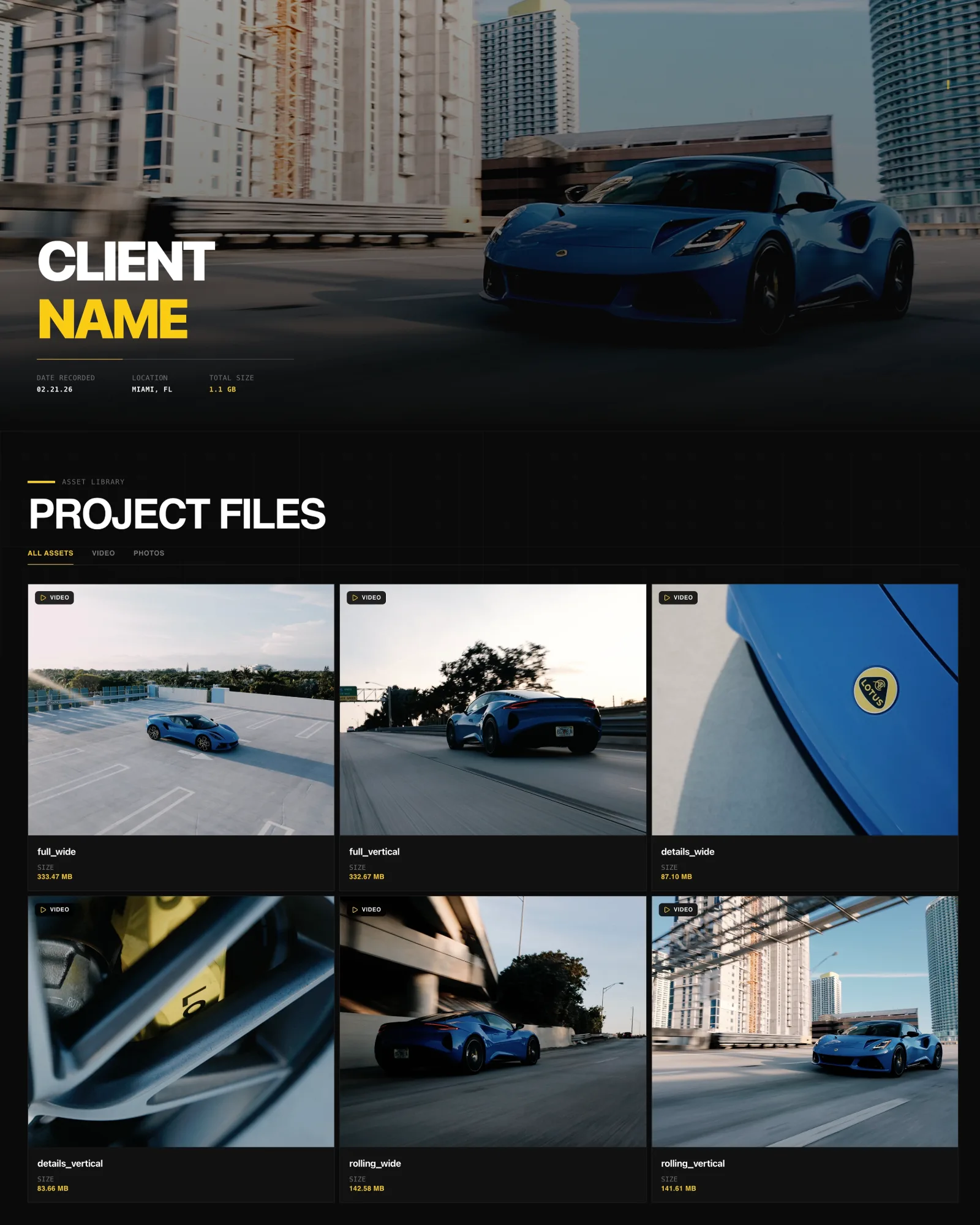
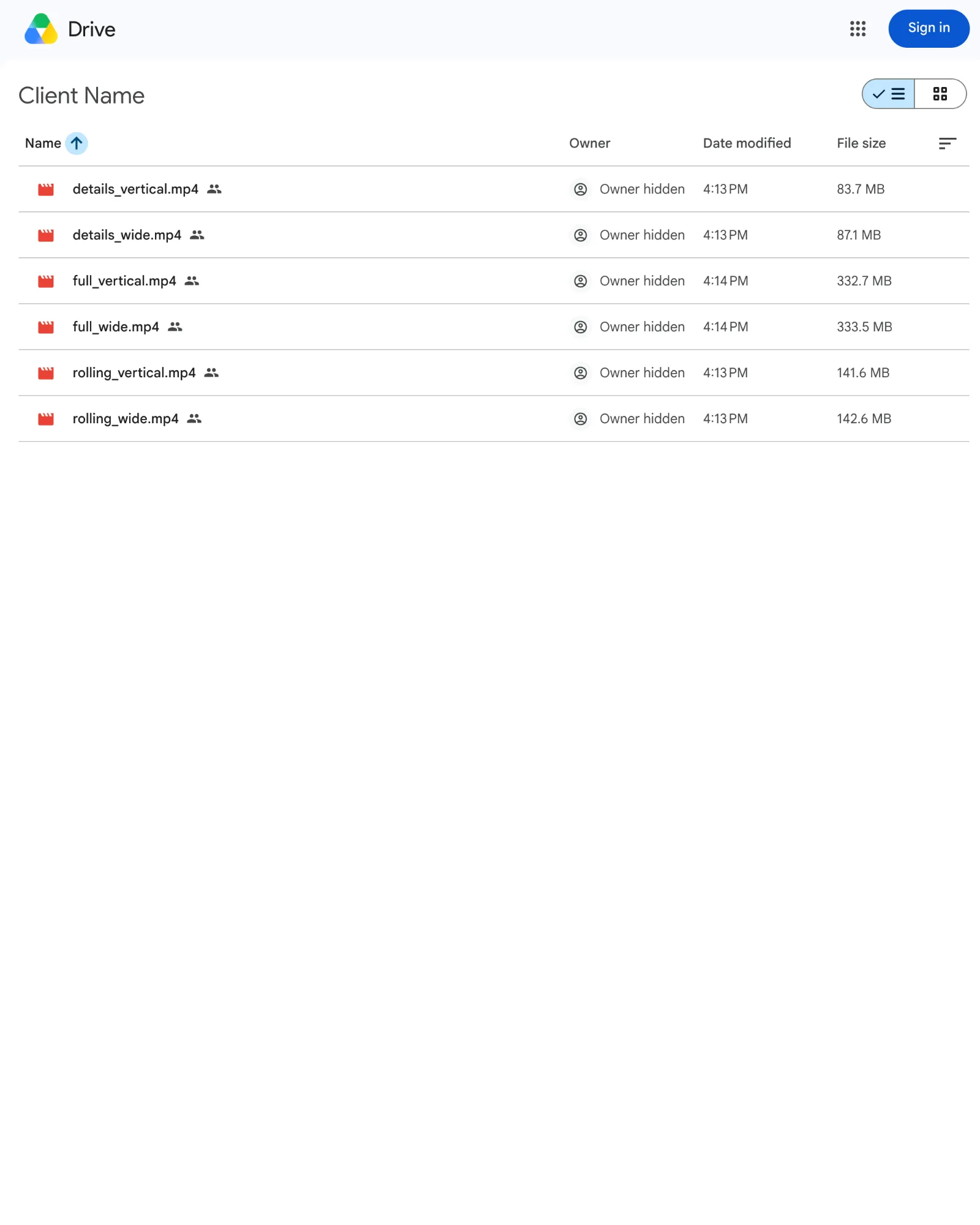
Same project, same six files, opened from a client share link. Drag to compare DLVRD (left) with Google Drive (right). Screenshots taken October 2026.
The short answer
DLVRD and Google Drive solve different problems. Google Drive is general cloud storage and collaboration built into Google's productivity tools, while DLVRD is a client delivery platform built for videographers and production companies. DLVRD is better suited to handing finished films to clients in a branded gallery, while Google Drive is better suited to storing, syncing and collaborating on files across a team.
Choose Google Drive if…
• You already pay for Google Workspace or Google One and want one place for documents, footage and email attachments.
• You mainly share files with collaborators who already use Google accounts.
• You need low-cost bulk storage, with plans starting at $1.99/mo for 100 GB.
• You want collaboration features such as editing roles, shared drives and, on eligible work accounts, expiring access.
• Presentation and branding of the delivery matter less than convenience.
Choose DLVRD if…
• You want clients to receive a branded gallery with your logo and colors rather than a shared folder.
• You need 4K-friendly streaming plus untouched original-quality downloads from the same link.
• You want clients to watch, comment and download without creating an account or signing in.
• You want per-gallery passwords, watermarks, optional expiry and download notifications.
• You deliver video and photos together and want them in one link.
Side-by-side
| DLVRD | Google Drive | |
|---|---|---|
| Primary purpose | Client video delivery and branded galleries | General cloud storage and collaboration |
| Client experience | Branded gallery in the browser, works on phones | Shared file or folder in Google's interface |
| Branding | Your logo and colors; DLVRD branding removable on Pro and Studio | Google interface; owner's name and email visible on shared links |
| Playback | Optimized streaming renditions (H.264) | In-browser preview; maximum playback resolution 1920 x 1080 |
| Downloads | Untouched originals; downloads can be disabled | Original file download; owners can stop viewers and commenters downloading |
| Feedback/comments | Timecoded comments under the media, no client login | Timestamped video comments on the web (rolled out August 2026) |
| Security | Per-gallery passwords, watermarks, optional expiry | Restricted, link-based or public sharing; expiring access on eligible work or school accounts |
| Large files | Plan storage of 500 GB to 3 TB, no per-download charges | Files up to 5 TB; 750 GB upload limit per user per day |
| Pricing (as of Oct 2026) | Free Starter; $15, $39, $79/mo | Free 15 GB; Google One from $1.99/mo; Workspace from $7/user/mo (annual) |
Where Google Drive is stronger
• Cost per gigabyte for general storage. A free account includes 15 GB, and paid storage starts at $1.99/mo for 100 GB, with 2 TB available at $9.99/mo through Google AI Plus.
• Ecosystem. Drive sits alongside Gmail, Docs, Sheets and Meet, so files, contracts and footage live in one familiar place.
• Team collaboration. Viewer, commenter and editor roles, shared drives and pooled Workspace storage suit internal teams.
• File size ceiling. Drive accepts individual files up to 5 TB.
• Familiarity. Many clients already know how to open a Drive link.
Where DLVRD is stronger
• Presentation. Clients see a gallery that carries your studio's brand, not a folder.
• Playback and originals. Optimized streams start quickly on phones, while the download is the exact file you uploaded, never re-encoded.
• Frictionless client access. Clients never need an account to view, comment or download.
• Delivery controls. Passwords, watermarking (which disables downloads), optional gallery expiry and download email notifications are built in.
• Mixed media. Video and photos can be delivered together in one link.
DLVRD does not offer custom domains, a formal approve button, replace-in-place file updates or client portal logins, so teams that need those should factor that in.
Pricing at a glance (as of October 2026)
DLVRD: Starter is free (10 GB, two galleries, no credit card). Basic is $15/mo for 500 GB, Pro is $39/mo for 1 TB (DLVRD branding removed), and Studio is $79/mo for 3 TB with three additional team seats. Yearly billing saves 15%.
Google Drive: Every Google account includes 15 GB free. Google One Basic is $1.99/mo for 100 GB, and Google AI Plus is $9.99/mo for 2 TB. Google Workspace Business plans are $7, $14 and $22 per user per month on annual plans ($8.40, $16.80 and $26.40 flexible), with 30 GB, 2 TB and 5 TB of pooled storage per user. Check Google Drive's pricing page for current rates.
Can you use both?
Yes, and many studios do. A natural split is to keep project files, contracts and working footage in Google Drive for your team, then upload the finished film to DLVRD for the client-facing delivery. Drive handles storage and collaboration; DLVRD handles the moment the client presses play.
FAQs
Can clients open a Google Drive link without a Google account?
Yes, if you set sharing to "Anyone with the link." Restricted sharing requires the recipient to sign in.
Does Google Drive play 4K video?
Drive stores any resolution, but its player's maximum playback resolution is 1920 x 1080. Clients can still download the original file.
Do DLVRD clients need an account?
No. Clients open the link (and password, if set) in a browser to watch, comment and download.
Last reviewed October 2026. Spot something out of date? Let us know.