.webp)
DLVRD vs Frame.io
Frame.io is better suited to review and collaboration during production, while DLVRD is better suited to delivering finished work to clients in a branded gallery.
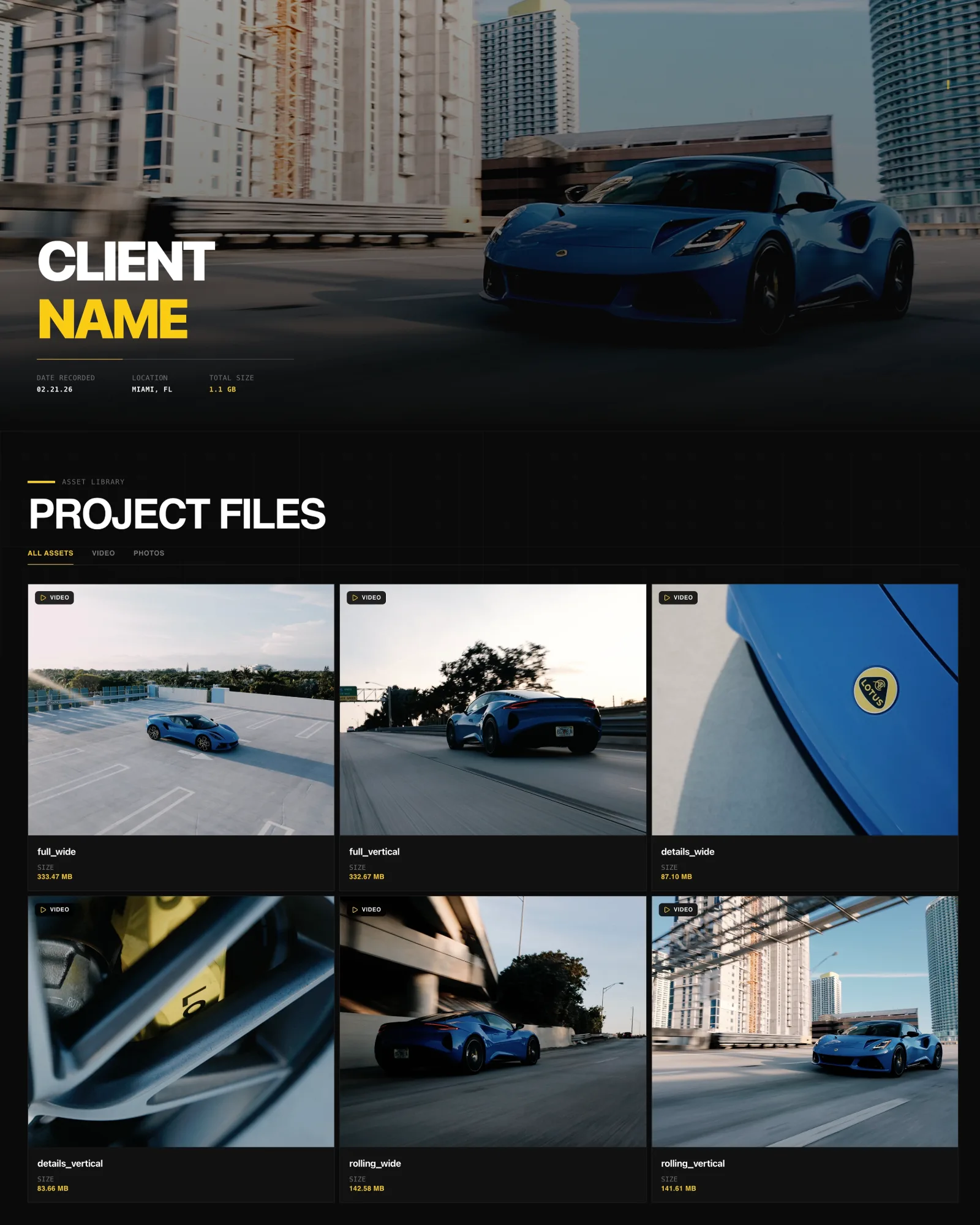
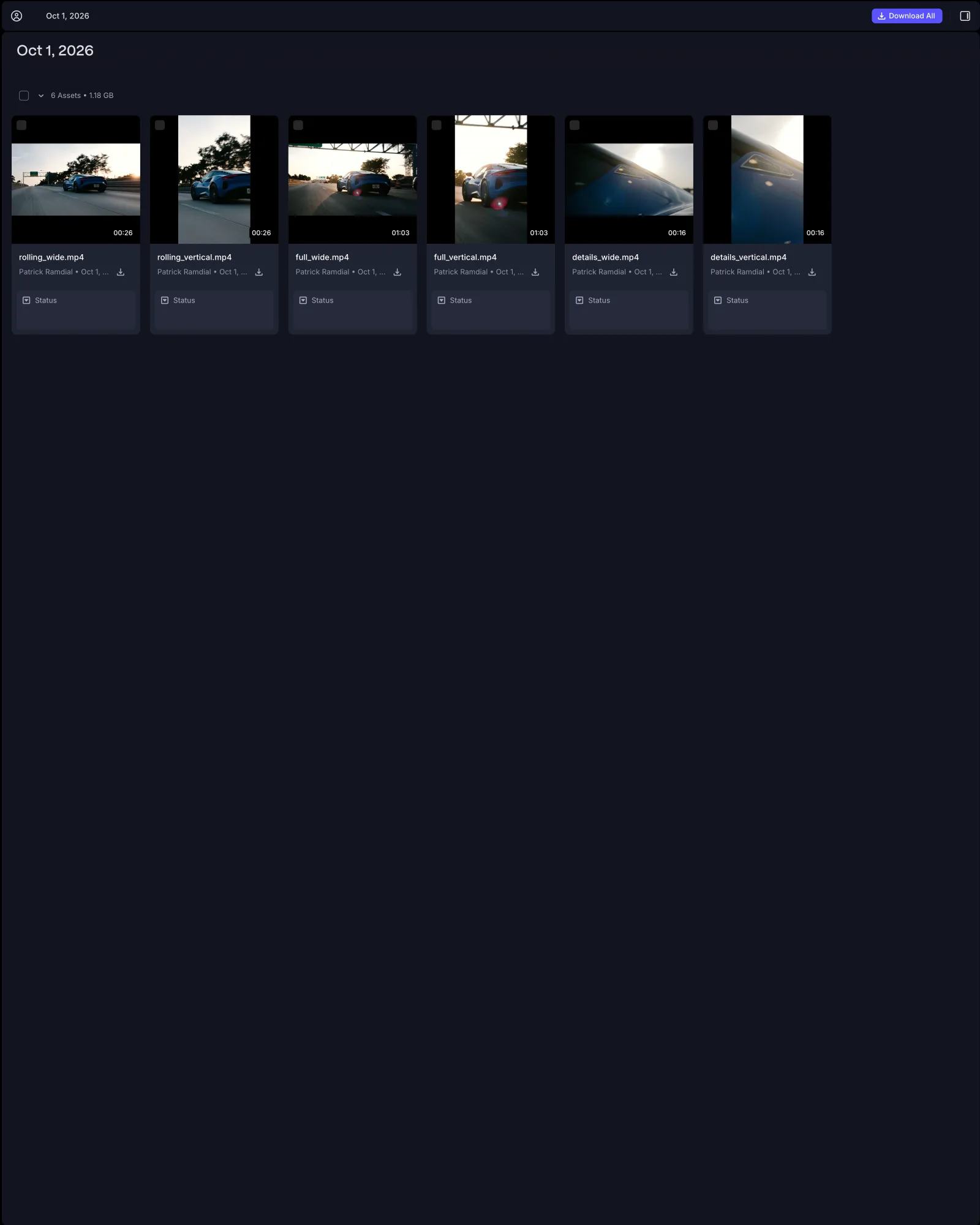
Same project, same six files, opened from a client share link. Drag to compare DLVRD (left) with Frame.io (right). Screenshots taken October 2026.
The short answer
DLVRD and Frame.io overlap at the moment a video is shared, but they are built for different stages. Frame.io is better suited to review and collaboration during production, with versioning, frame-accurate feedback and deep Adobe integration. DLVRD is better suited to the final handover, where the client receives finished films and photos in a branded gallery.
Choose Frame.io if…
• Your team needs version stacking and structured review rounds across many cuts.
• Editors work in Premiere and want to share and pull in feedback without leaving the timeline.
• You use Camera to Cloud or need media available to editors as it is shot.
• You manage collaborators with roles, restricted projects and team workspaces.
• Your client needs a formal approval step inside the review tool.
Choose DLVRD if…
• The main job is delivering finished work to clients in a gallery that carries your brand.
• You want to send video and photos together in one link.
• You want download email notifications so you know when files were collected.
• You want light proofing (watermark, downloads off, timecoded comments) and then to reuse the same gallery for delivery.
• You want storage-based pricing rather than paying per team member.
Side-by-side
| DLVRD | Frame.io | |
|---|---|---|
| Primary purpose | Final delivery and client galleries | Review and collaboration during production |
| Client experience | Branded gallery, no account needed | Share link, no account needed to view; reviewers enter a name to comment |
| Branding | Logo and colors; DLVRD branding removed on Pro and Studio | Custom-branded shares (logo, colors, header image) on Pro and above |
| Playback | Streaming in H.264, mobile-optimized | Transcoded proxies up to 4K on Pro and above |
| Downloads | Untouched original files; can be disabled | Can be enabled or disabled per share |
| Feedback | Timecoded comments under the media, no login | Frame-accurate comments, version stacking, Premiere panel |
| Security | Passwords, optional expiry, watermarks | Passphrases, link expiration, watermark templates |
| Pricing model | By storage, from free | Per member, from free |
Where Frame.io is stronger
Frame.io is a mature production tool. Version stacking keeps revisions organized, and the Premiere panel lets editors upload new versions and read comments inside their editing software. Camera to Cloud moves footage from set to the edit as it is shot. It offers team structures such as restricted projects and up to 15 members on the Team plan, plus an Enterprise tier. Its shares are also capable for presentation: they support custom branding, passphrases, expiration and download permissions, so some teams deliver straight from Frame.io. DLVRD has no formal approve button, no replace-in-place for files, no client accounts or portal, and no custom domains.
Where DLVRD is stronger
DLVRD is designed around the handover rather than the edit. Galleries combine video and photos, show your logo and colors, and on Pro and Studio carry no DLVRD branding. Clients open them on any device without an account, stream the film and download the untouched originals. Download notifications confirm files were collected. For proofing, turning on a watermark automatically disables downloads, and clients leave timecoded comments without logging in. Pricing is based on storage, so adding projects does not mean adding seats.
Pricing at a glance (as of October 2026)
DLVRD: Starter free (10GB, two galleries); Basic $15/month (500GB); Pro $39/month (1TB, DLVRD branding removed); Studio $79/month (3TB, three additional seats). Yearly billing saves 15%.
Frame.io: Free (2 members, 2GB, 2 projects); Pro $15 per member per month plus tax (up to 5 members, 2TB plus 2TB per added member); Team $25 per member per month plus tax (up to 15 members, 3TB plus 2TB per added member); Enterprise custom. Check Frame.io's pricing page for current rates.
Can you use both?
Yes, and many teams do. A common workflow is to cut and run review rounds in Frame.io with the editing team and client stakeholders, then, once the film is approved, upload the final exports to a DLVRD gallery for delivery alongside stills and alternate versions. Teams that only need light client feedback sometimes handle proofing in DLVRD as well.
FAQs
Can Frame.io be used for client delivery?
Yes. Pro and higher plans include branded shares with passphrases, expiration and download controls. It is built primarily around review, so the interface centers on media and comments.
Do clients need an account for either tool?
No. Both let clients view shared media without an account. Frame.io asks reviewers for a name when they comment; DLVRD comments need no login.
Is DLVRD a replacement for Frame.io?
Not for teams that rely on version stacking, editor integrations or Camera to Cloud. DLVRD is better suited to the final delivery stage.
Last reviewed October 2026. Spot something out of date? Let us know.