How to Deliver Real Estate Videos and Photos to Agents
A listing shoot is never just one file. It's a walkthrough video, a social cut, 25 to 60 edited photos, and maybe drone stills, all due within 24 to 48 hours because the listing goes live tomorrow.
Then it all lands in a Dropbox folder named FINAL_v3, the agent opens it on their phone between showings, and the questions start: Which one is the MLS video? Where are the exteriors? Can you resend the link?
The shoot was the hard part, so the handoff shouldn't be. Here's how to deliver real estate media so agents can find, use and share it in seconds.
1. Put the video and the photos behind one link
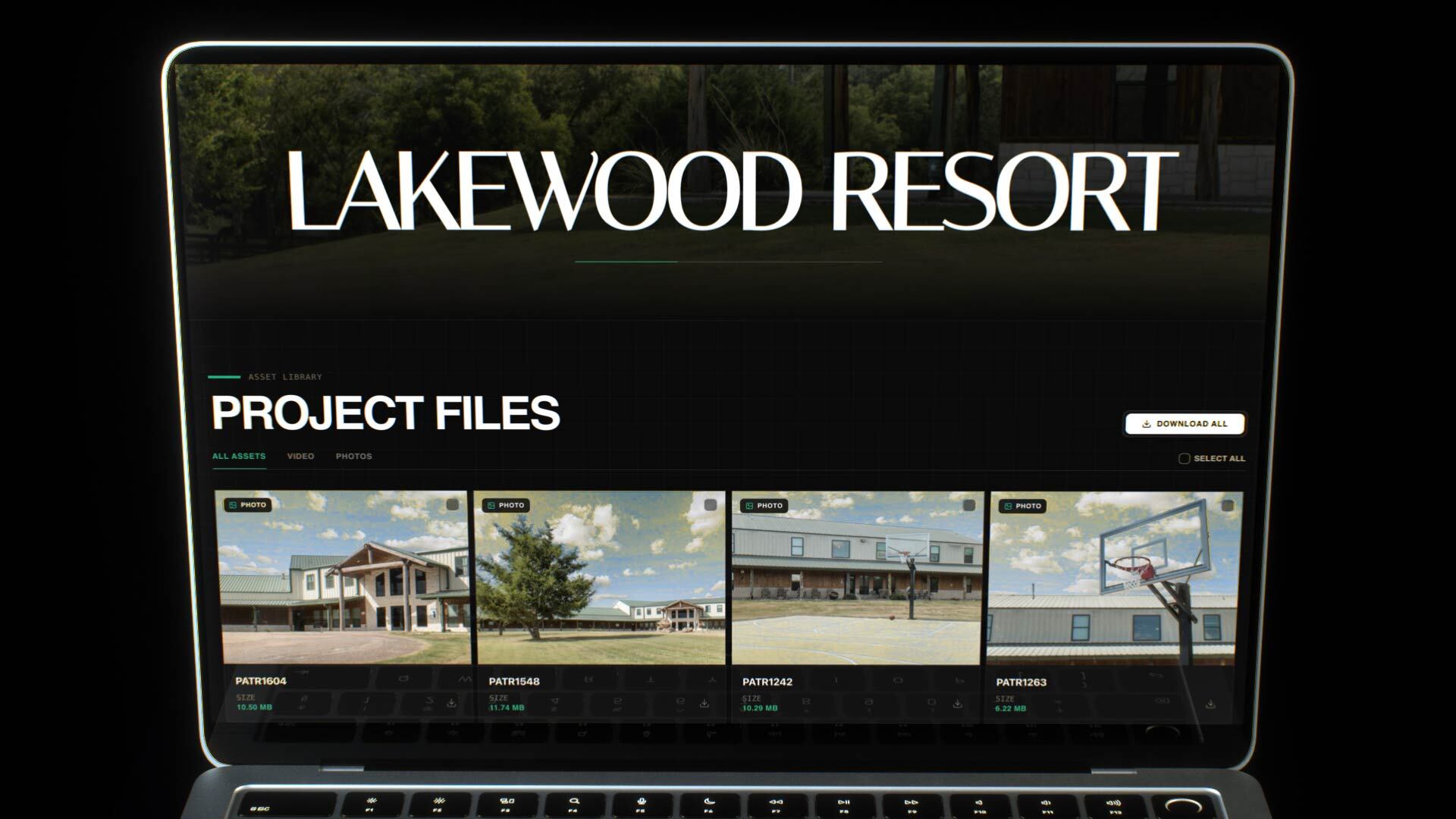
Agents shouldn't have to juggle a Vimeo link for the tour, a Drive folder for the photos and a WeTransfer for the drone shots. Put everything for one property in one gallery. In DLVRD, every gallery has an asset library with All Assets, Video and Photos tabs, so the agent can jump straight to what they need. (More on this in How to Deliver Video and Photos Together in One Link.)
2. Name the gallery after the property, not the job number
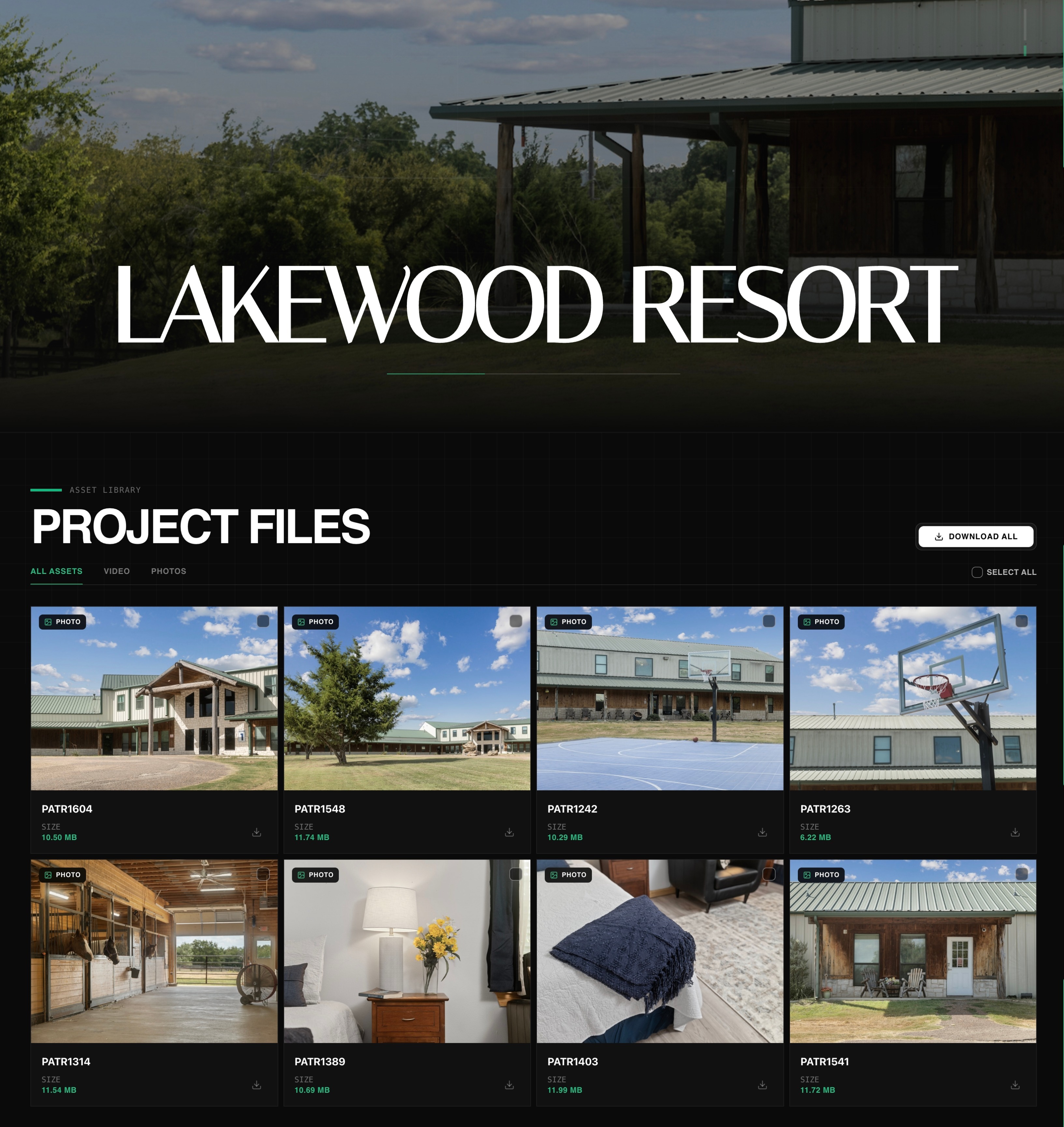
Agents look for listings by address or property name. Title the gallery that way ("Lakewood Resort", "1420 Oak Ridge Dr") and use a strong exterior as the cover. It's the first thing they see and the first thing they forward to the seller.
3. Show the details agents ask about
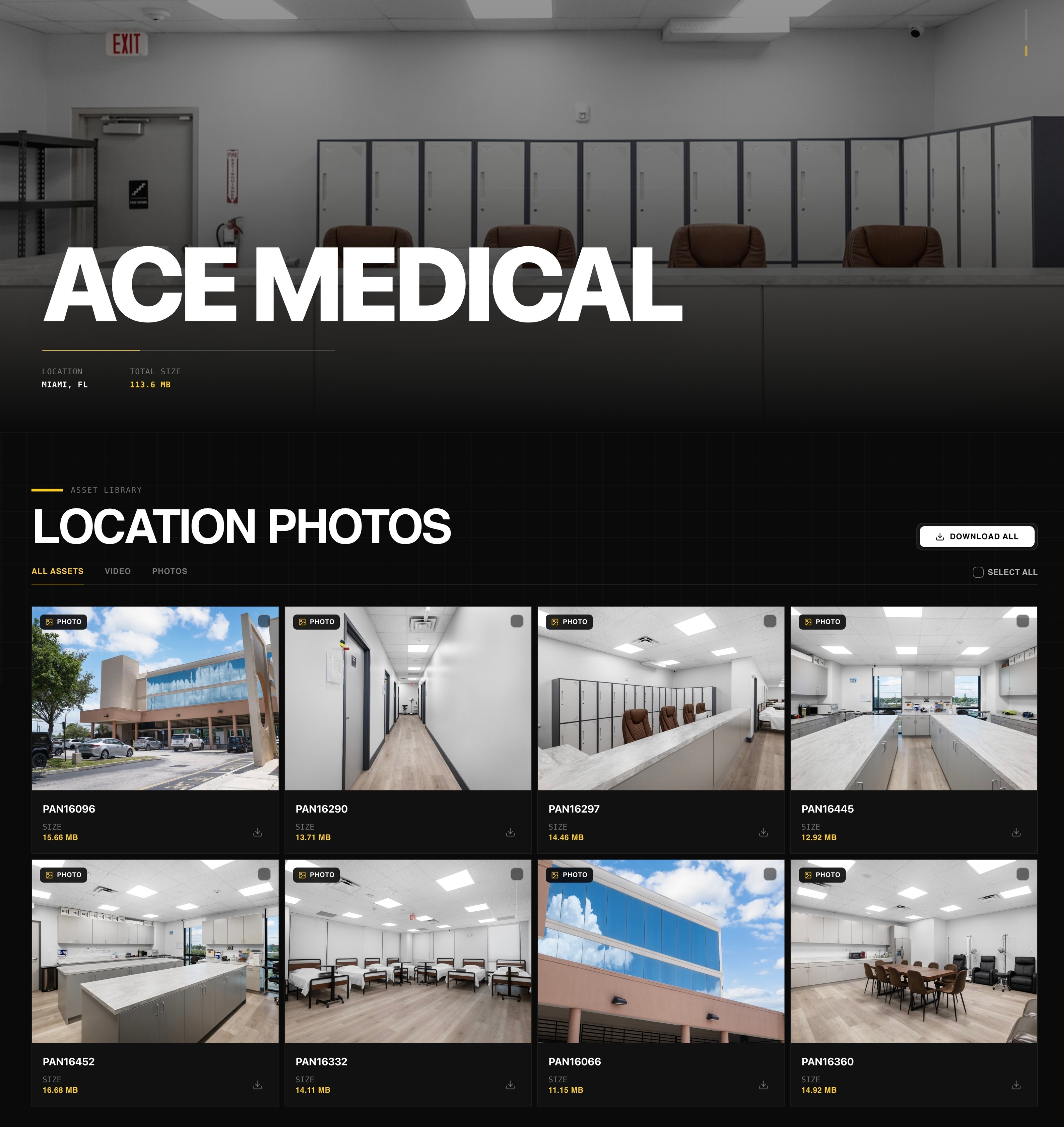
Location and total size at the top of the gallery answer two common questions before anyone has to ask them: is this the right property? and how big is the download?
4. Make downloading a one-tap job
Some agents want the whole set for the MLS upload. Others only need three photos for an Instagram post. Give them both options: Download All for the full package, or select individual files, each with its size listed. Keep full-resolution files intact. (Why this matters: How To Deliver 4K Video To Clients Without Losing Quality.)
5. Make sure it works on a phone, with no login
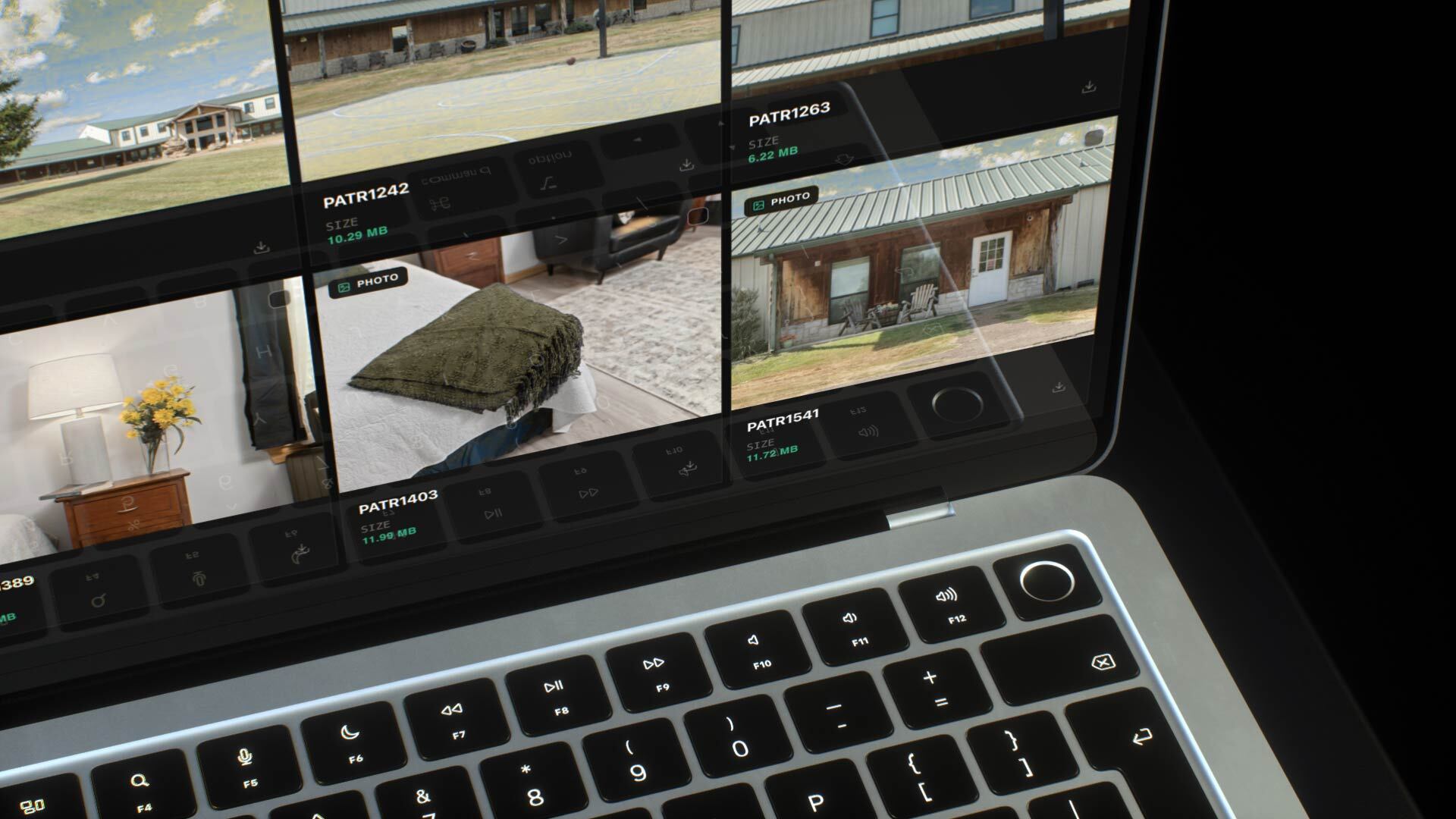
Agents work from their cars. The link has to open on mobile with no account, no app and no ads. A link anyone can view, with no account needed, takes the friction out of the handoff to agents, sellers and brokerages.
6. Know when the agent has the files
Rather than texting "did you get it?", turn on download notifications and you'll get an email when the files are downloaded. (See How to Know When a Client Downloads Your Video.) For off-market or pre-launch listings, add a password. (How to Password Protect Video Delivery for Clients.)

7. Make the delivery look like the work
A branded gallery is what makes an agent rebook you for their next listing and send your link to other agents in their office. A bare folder doesn't do either. Your delivery is part of your portfolio.
Quick real estate delivery checklist
• One gallery per property, titled by address or name
• A strong exterior as the cover image
• Video and photos together, filterable by type
• Download All plus individual file downloads
• Opens on mobile, no login needed
• Download notifications on; password for off-market listings
Built for real estate videographers. See how DLVRD handles listing delivery on our Real Estate Videographers page, or start for free with 10GB and 2 galleries, no card required.
.webp)
The new standard for professional video delivery. DLVRD provides client galleries and secure video hosting for creators who refuse to compromise on client delivery.