How to Collect Files From Clients Without Chasing Emails
At some point in every project, the direction reverses. Instead of sending a client their finished gallery, you need something from them — a logo, a brand guide, raw interview footage, reference stills, or files from a third location you don't have access to.
Most of the time this turns into a scattered thread: an email asking for a Dropbox link, a text with a WeTransfer follow-up, a "did you get my files?" a week later. None of it lives next to the project, and none of it is secure.
A request link fixes the direction of the problem the same way a gallery fixes delivery: one secure destination, built for the person receiving it, not the person storing it.
Important: A request link is only as safe as how long it stays open and who has the address. Treat it like any other access point on the project — set a window, and retire it when the ask is done.

1. Ask Once, in One Place
Rather than a chain of "just send it my way" messages, generate a request link from inside the project and send that single link. The person on the other end doesn't need a DLVRD account, doesn't need to know what DLVRD is — they just see an upload destination that clearly belongs to your project.
This matters most for people outside your usual workflow: a client's marketing contact sending a logo pack, a second shooter handing off raw footage, a venue sending photos for a recap. They won't set up a shared drive for a one-time handoff. They will click a link.
2. Keep the Request Time-Bound
An upload link left open indefinitely becomes one more loose end on the project — something that's still technically live long after you needed it.
Generate a new link per ask and let it expire on its own schedule (DLVRD's default request link expires after 7 days) rather than reusing one long-lived link across every client. If the files haven't come in in time, create a new one and send that instead of resurrecting the old address.
3. Route Incoming Files to the Right Project Automatically
The usual failure mode with inbound files isn't that people don't send them — it's that they land in the wrong place. A logo goes into a generic inbox. Footage lands in a personal Drive folder that gets cleaned out six months later. By the time you need it, nobody remembers where it went.
A request link tied to the project routes what comes in straight into that project's folder, so incoming files sit next to the footage they belong to instead of in a separate inbox you have to cross-reference later.
4. Protect the Handoff the Same Way You Protect Delivery
The files people send you deserve the same access controls as the files you send them. Password-protect sensitive requests, and don't leave a request link posted somewhere public or forwardable beyond the person you sent it to.
If you're already locking down draft review links before approval, apply the same discipline in reverse — a request link is still a live access point into your project.
Turn the Client Intake Step Into Part of the Gallery, Not a Side Errand
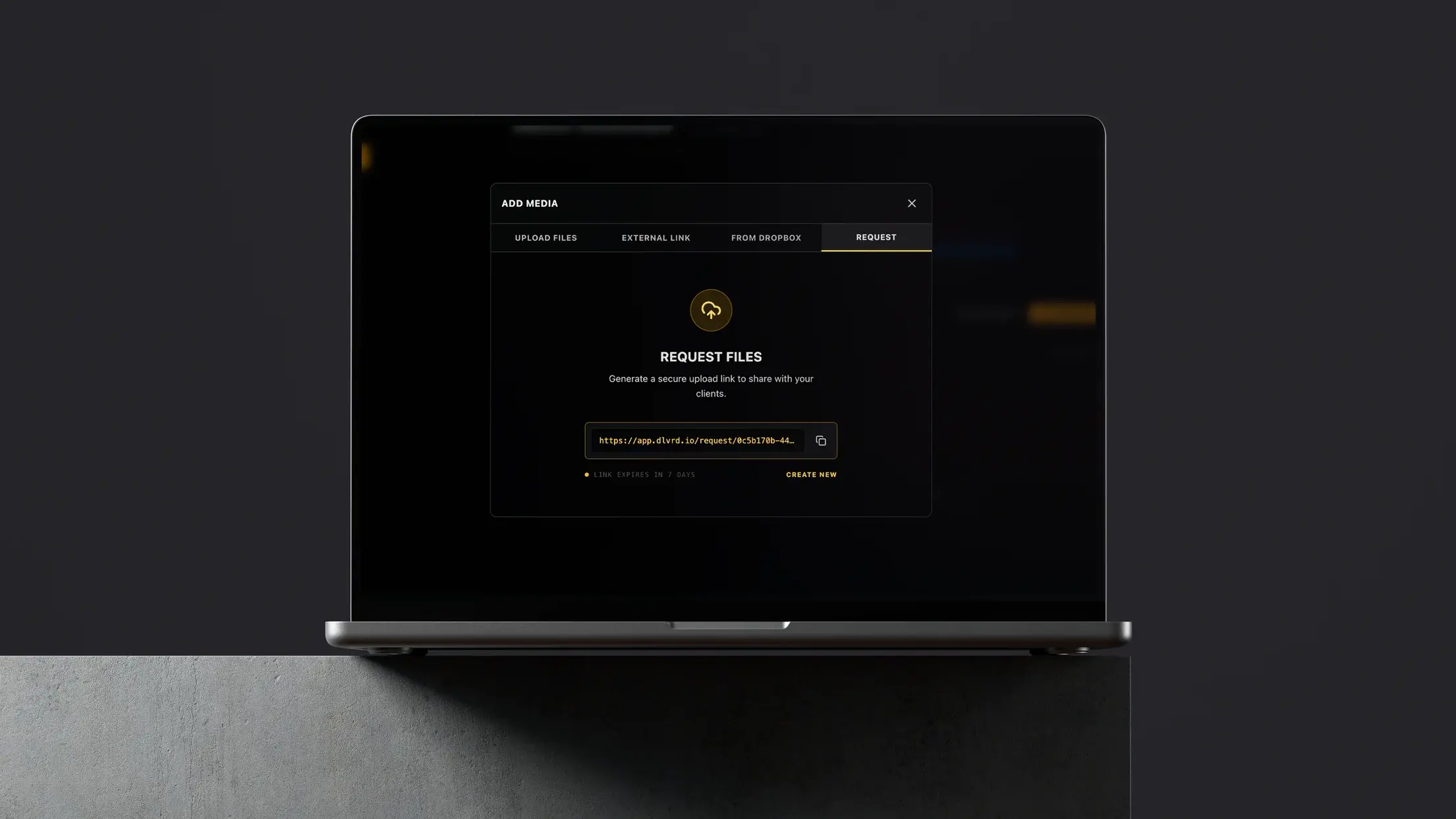
DLVRD's Request Files tool generates a secure upload link straight from the project you're already working in:
- One-click request links — no account or download required for the person sending files
- Automatic expiry — links close themselves out instead of staying open forever
- Project-based routing — incoming files land directly in the right gallery, not a separate inbox
- Password protection — for sensitive or high-value handoffs
It sits in the same Add Media panel as your uploads, external links, and Dropbox imports — so collecting files from someone else takes the same two clicks as adding your own.
The Fix Is Just Reversing the Link
You already send clients one clean link instead of a folder. Do the same thing when the files need to flow the other way — one request link, a real deadline, and a destination that's already part of the project.
For the full handoff process end to end, start with the ultimate guide to delivering video to clients.
Start your first DLVRD gallery for free — 10GB of active storage, up to two galleries, no credit card required.
.webp)
The new standard for professional video delivery. DLVRD provides client galleries and secure video hosting for creators who refuse to compromise on client delivery.